Playwright Fixtures vs Hooks: When to Use Fixtures, `beforeEach`, and `beforeAll`
Learn when to use Playwright fixtures, beforeEach, and beforeAll with practical TypeScript examples covering test isolation, parallel execution, authentication, and scalable test architecture.
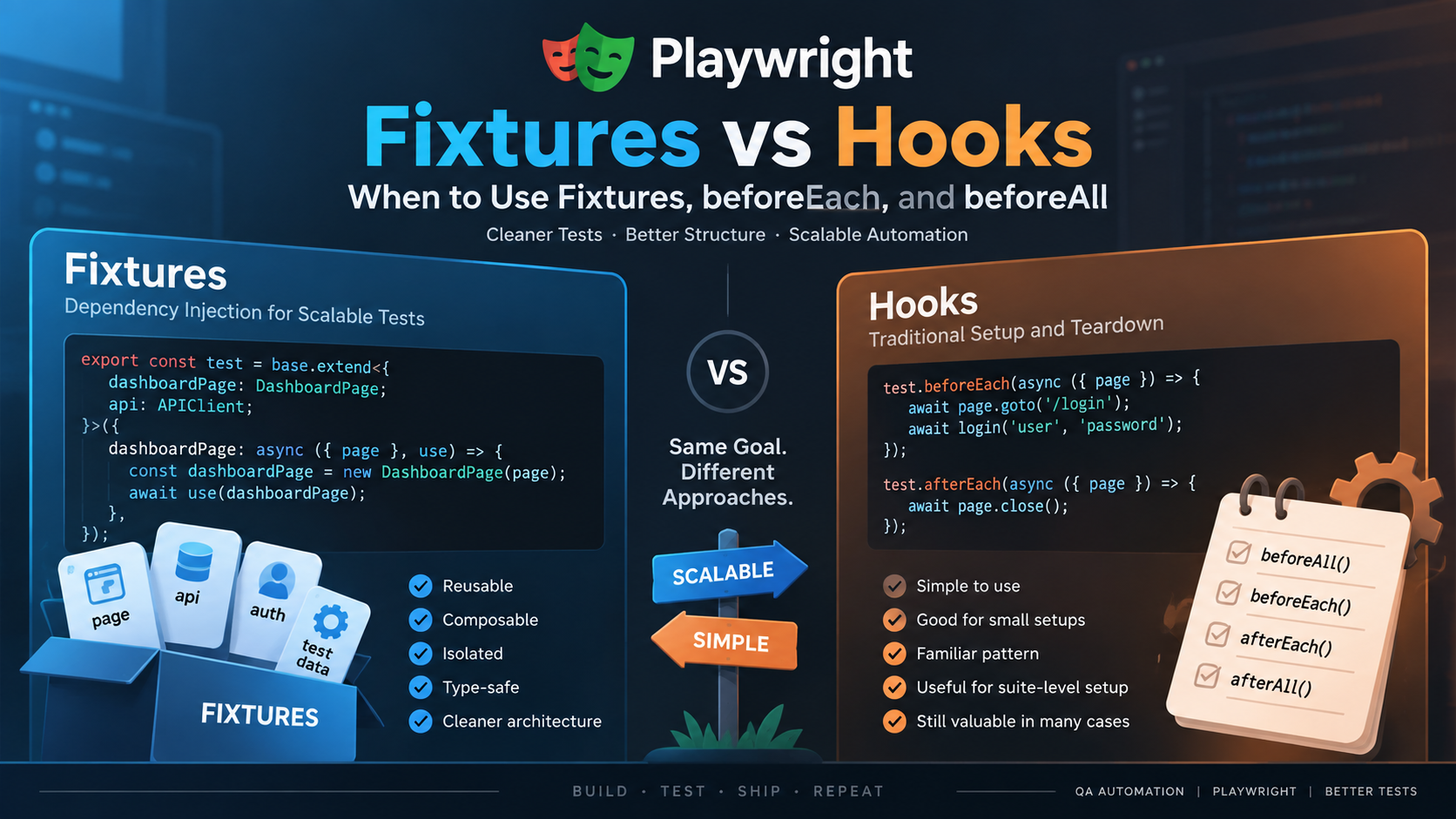
Playwright Fixtures vs Hooks: When to Use Fixtures, beforeEach, and beforeAll
When architecting a test automation framework with Playwright and TypeScript, one of the first structural decisions SDETs face is how to manage test lifecycle and preconditions. Coming from frameworks like Jest, Mocha, or Cypress, many automation engineers naturally reach for traditional xUnit lifecycle hooks such as beforeEach, beforeAll, afterEach, and afterAll.
However, Playwright Test is architected around a fundamentally different concept: dependency-injected test fixtures. While hooks remain useful for localized setups, Playwright fixtures provide a composable, on-demand, and parallel-safe mechanism for establishing test environments.
In this article, we will compare Playwright fixtures vs hooks, break down the setup and teardown lifecycles, evaluate worker vs. test scoping, and analyze a realistic end-to-end testing scenario implemented with both approaches.
1. What Are Playwright Fixtures?
In Playwright Test, a fixture is an isolated resource or environment setup prepared specifically for a test run. Rather than initializing objects inside test files or global setup scripts, Playwright fixtures deliver resources directly into test functions via argument destructuring.
Playwright inspects the parameter signature of each test function at runtime. It sets up only the fixtures requested by that specific test signature and ignores unused fixtures entirely.
import { test, expect } from '@playwright/test';

// Playwright inspects { page } and initializes only the required page and context fixtures
test('basic navigation test', async ({ page }) => {
  await page.goto('https://playwright.dev/');
  await expect(page).toHaveTitle(/Playwright/);
});
The setup → use() → teardown Lifecycle
Every fixture in Playwright follows a explicit, symmetrical execution flow built around the await use() callback:
- Setup Phase: Everything executing before
await use()runs prior to test execution. This is where browser contexts are created, Page Object Models (POMs) are instantiated, and database records are seeded. - Execution Phase (
use): Callingawait use(fixtureValue)pauses fixture execution and passes the initialized resource into the test body (or into dependent fixtures). - Teardown Phase: Code executing after
await use()runs automatically after the test (or dependent fixtures) completes. This guarantees cleanup, such as closing contexts, deleting temporary files, or removing database records.
import { test as base } from '@playwright/test';

export const test = base.extend<{ customResource: string }>({
  customResource: async ({}, use) => {
    // 1. Setup Phase
    const resource = 'initialized_data';

    // 2. Pass resource to the test body
    await use(resource);

    // 3. Teardown Phase (runs after test completion)
    // Perform cleanup actions here
  },
});
2. Built-In vs. Custom Fixtures
Playwright provides built-in fixtures out of the box, which can be extended to create domain-specific custom fixtures.
Built-In Fixtures
Playwright pre-defines several fixtures for browser automation and network testing:
page: An isolatedPageinstance provided to a single test run.context: An isolatedBrowserContextinstance. Thepagefixture belongs to this context.browser: ABrowserinstance shared across tests in a worker to optimize resource utilization.browserName: String indicating the active browser (chromium,firefox, orwebkit).request: An isolatedAPIRequestContextinstance configured for API assertions and REST interactions.
Custom Fixtures
SDETs create custom fixtures using test.extend() to encapsulate Page Objects, API clients, or pre-authenticated browser states. Custom fixtures can also override existing built-in fixtures—such as overriding page to automatically navigate to a baseURL.
3. Fixture Scopes: Test-Scoped vs. Worker-Scoped
Playwright fixtures operate under two primary scope levels: test-scoped and worker-scoped.
┌────────────────────────────────────────────────────────────────────────┐
│ Worker Process (OS Process)                                           │
│  ├── Worker-Scoped Fixture (e.g., Database Connection / Admin Token)   │
│  │                                                                     │
│  ├── Test Run 1 ──► [Test-Scoped Fixture] ──► Test Body ──► Teardown   │
│  │                                                                     │
│  └── Test Run 2 ──► [Test-Scoped Fixture] ──► Test Body ──► Teardown   │
└────────────────────────────────────────────────────────────────────────┘
Test-Scoped Fixtures (Default)
Test-scoped fixtures are instantiated and torn down independently for every single test that requests them.
- Lifecycle: Setup runs before the test and its
beforeEachhooks; teardown runs afterafterEachhooks and test completion. - Isolation: Guarantees complete test isolation.
- Use Cases: Isolated
Pageinstances, Page Object Models, and test-specific data payloads.
Worker-Scoped Fixtures (scope: 'worker')
Worker-scoped fixtures are initialized once per OS worker process using tuple syntax { scope: 'worker' }.
- Lifecycle: Lazy setup occurs when the first test assigned to that worker requests the fixture. Teardown executes once when the worker process terminates.
- Performance: Reuses expensive connections across multiple test files assigned to the same worker. Worker fixtures also receive an independent execution timeout equal to the default test timeout, customizable via
{ timeout: number }. - Use Cases: Worker-level user accounts, database pools, local test servers, or shared authentication state files.
4. Playwright Hooks: beforeEach, beforeAll, afterEach, afterAll
Playwright supports traditional lifecycle hooks for scoping setup and teardown imperatively within test files or test.describe() groups.
test.beforeEach(): Runs before each test in its declared file ortest.describe()block. Can request test-scoped fixtures.test.afterEach(): Runs after each test in its scope. Receives test fixtures and theTestInfoobject to inspect test outcomes (e.g., checkingtest.info().status).test.beforeAll(): Runs once per worker process before any tests in the file or group execute. Can request worker-scoped fixtures, but cannot access test-scoped fixtures likepage.test.afterAll(): Runs once per worker process after all tests in the file or group complete.
Execution Order Breakdown
When a test suite contains automatic fixtures, worker fixtures, hooks, and test fixtures, Playwright executes them in a deterministic order:
- Worker Setup Phase: Automatic worker fixtures (
{ scope: 'worker', auto: true }) setup →test.beforeAll()hooks run. - Test Setup Phase: Automatic test fixtures (
{ auto: true }) setup → Test-scoped fixtures setup →test.beforeEach()hooks run. - Test Body: The individual
test()function executes. - Test Teardown Phase:
test.afterEach()hooks run → Test-scoped fixtures teardown → Automatic test fixtures teardown. - Worker Teardown Phase:
test.afterAll()hooks run → Worker-scoped fixtures teardown → Automatic worker fixtures teardown.
Note: Playwright workers restart automatically after a test failure to ensure a pristine environment for subsequent runs. When a worker restarts, beforeAll hooks and worker fixtures run again in the new worker process.5. Architectural Comparison Table
| Dimension | beforeEach | beforeAll | Test-Scoped Fixture | Worker-Scoped Fixture |
|---|---|---|---|---|
| Lifecycle | Runs before every test in file/group. | Runs once per worker before file/group tests. | Setup before test; teardown after test. | Lazy setup once per worker; teardown at worker shutdown. |
| Isolation | High per-test isolation; relies on manual cleanup in afterEach. | Low isolation; shared state across tests in worker. | Strict hermetic isolation per test. | Worker-level isolation; shared across tests in same worker. |
| Reuse | Scoped strictly to declared file/describe block. | Scoped strictly to declared file/describe block. | Reusable across entire framework via test.extend(). | Reusable across files; tied to worker lifecycle. |
| Parallel Execution | Runs in parallel per test across workers. | Runs once per worker process in parallel setups. | Fully parallel-safe; isolated browser contexts. | Parallel-safe if indexed per worker via workerIndex. |
| Maintainability | Requires outer let variables; prone to state leakage. | Harder to clean up; requires paired afterAll. | Excellent encapsulation; setup and teardown in one function. | Centralized infrastructure management. |
| Best Use Cases | One-off, file-specific test adjustments. | Heavy file-level setup like temporary repo creation. | Page Object Models, API clients, test-specific data. | Pre-authenticated worker accounts, DB pools. |
6. Real-World Scenario: beforeEach vs. Custom Fixture
To understand how these patterns scale, let's examine the same realistic test automation scenario implemented with both approaches.
Scenario Requirements
- Authenticate a session and seed data via API using
APIRequestContext. - Instantiate a
DashboardPagePage Object Model. - Navigate to the dashboard and perform test assertions.
- Clean up seeded API data after test completion.
Implementation 1: The Hook-Based Approach (beforeEach + Local State)
In this traditional pattern, setup code lives inside beforeEach and afterEach hooks, storing instances in module-scoped let variables.
// tests/dashboard-hooks.spec.ts
import { test, expect, APIRequestContext } from '@playwright/test';
import { DashboardPage } from '../pages/dashboard-page';

test.describe('Dashboard Suite - Hooks Approach', () => {
  // Shared state held in module-scoped variables
  let apiContext: APIRequestContext;
  let dashboardPage: DashboardPage;
  let createdWidgetId: string;

  test.beforeEach(async ({ page, playwright, baseURL }) => {
    // 1. Manually create an API context
    apiContext = await playwright.request.newContext({
      baseURL,
      extraHTTPHeaders: { Authorization: `Bearer ${process.env.API_TOKEN}` },
    });

    // 2. Seed test data via API
    const response = await apiContext.post('/api/widgets', {
      data: { name: 'Analytics Widget' },
    });
    const data = await response.json();
    createdWidgetId = data.id;

    // 3. Initialize Page Object Model and navigate
    dashboardPage = new DashboardPage(page);
    await dashboardPage.goto();
  });

  test.afterEach(async () => {
    // 4. Teardown seeded data
    if (apiContext && createdWidgetId) {
      await apiContext.delete(`/api/widgets/${createdWidgetId}`);
      await apiContext.dispose();
    }
  });

  test('should display created widget on dashboard', async () => {
    const isVisible = await dashboardPage.isWidgetVisible('Analytics Widget');
    expect(isVisible).toBeTruthy();
  });

  test('should allow toggling widget layout', async () => {
    await dashboardPage.toggleLayout();
    expect(await dashboardPage.getLayoutMode()).toBe('grid');
  });
});
Disadvantages of the Hook Approach
- State Leakage Risks: Storing
apiContextandcreatedWidgetIdin outerletvariables creates risks if tests run concurrently or if a setup fails mid-execution. - Boilerplate Duplication: Every new spec file requiring dashboard access must re-declare these hooks and variable structures.
- Eager Execution:
beforeEachruns for every test in the describe block, even if a test only needs API validation and no UI setup.
Implementation 2: The Custom Fixture Approach (test.extend())
Here, we extend Playwright's test object to encapsulate API seeding, POM instantiation, and automatic teardown into composable fixtures.
// fixtures/app-fixtures.ts
import { test as base, expect } from '@playwright/test';
import { DashboardPage } from '../pages/dashboard-page';

// 1. Define custom fixture types
type AppFixtures = {
  dashboardApp: { page: DashboardPage; widgetId: string };
};

export const test = base.extend<AppFixtures>({
  dashboardApp: async ({ page, request }, use) => {
    // Setup Phase: Seed data using built-in 'request' fixture
    const response = await request.post('/api/widgets', {
      data: { name: 'Analytics Widget' },
    });
    const { id: widgetId } = await response.json();

    const dashboardPage = new DashboardPage(page);
    await dashboardPage.goto();

    // Pass encapsulated resources to the test
    await use({ page: dashboardPage, widgetId });

    // Teardown Phase: Automatic cleanup after test completion
    await request.delete(`/api/widgets/${widgetId}`);
  },
});

export { expect } from '@playwright/test';
// tests/dashboard-fixtures.spec.ts
import { test, expect } from '../fixtures/app-fixtures';

test.describe('Dashboard Suite - Fixture Approach', () => {
  test('should display created widget on dashboard', async ({ dashboardApp }) => {
    const isVisible = await dashboardApp.page.isWidgetVisible('Analytics Widget');
    expect(isVisible).toBeTruthy();
  });

  test('should allow toggling widget layout', async ({ dashboardApp }) => {
    await dashboardApp.page.toggleLayout();
    expect(await dashboardApp.page.getLayoutMode()).toBe('grid');
  });
});
Why the Fixture Architecture Scales Better
- Zero Variable Leakage: Setup data (
widgetId) is scoped strictly to the fixture callback, preventing accidental cross-test state contamination. - Unified Setup & Teardown: Code before
await use()prepares resources, while code after handles teardown automatically—eliminating splitbeforeEach/afterEachlogic. - On-Demand Execution: If a test signature does not request
{ dashboardApp }, Playwright skips data seeding and navigation entirely.
7. Advanced Framework Architecture Patterns
1. Authentication and storageState
Playwright allows caching authenticated browser context states (cookies, local storage) into JSON files using storageState.
                                  ┌──► Project "chromium" (reuses user.json)
┌─────────────────┐               │
│ auth.setup.ts   ├─► user.json ──┼──► Project "firefox"  (reuses user.json)
└─────────────────┘               │
                                  └──► Project "webkit"   (reuses user.json)
Playwright supports three authentication strategies based on test requirements:
- Global Setup Project (Shared Account): Best for read-only test suites. A dedicated setup project runs
auth.setup.ts, authenticates via UI/API, and savesplaywright/.auth/user.json. Test projects depend on setup and specifystorageState: 'playwright/.auth/user.json'inplaywright.config.ts. - Worker-Scoped Authentication (State-Mutating Tests): When tests modify server data in parallel, shared accounts cause race conditions. Using a worker-scoped fixture (
workerStorageState), each parallel worker authenticates a unique account (identified viatest.info().parallelIndex) and stores its isolated auth state inoutputDir. - Multi-Role POM Fixtures: For multi-user interaction testing, custom fixtures can initialize distinct
BrowserContextinstances for different roles (adminPage,userPage) in a single test:
export const test = base.extend<{ adminPage: AdminPage; userPage: UserPage }>({
  adminPage: async ({ browser }, use) => {
    const context = await browser.newContext({ storageState: 'playwright/.auth/admin.json' });
    const page = new AdminPage(await context.newPage());
    await use(page);
    await context.close();
  },
  userPage: async ({ browser }, use) => {
    const context = await browser.newContext({ storageState: 'playwright/.auth/user.json' });
    const page = new UserPage(await context.newPage());
    await use(page);
    await context.close();
  },
});
2. Page Object Model (POM) Integration with Decorators
When wrapping POMs in custom fixtures, SDETs can clean up test reporting using the @step TypeScript method decorator with { box: true }. Boxing hides internal locator logs and attributes failure call-sites directly to the POM method call in HTML reports and Trace Viewer.
function step(target: Function, context: ClassMethodDecoratorContext) {
  return function replacementMethod(...args: any[]) {
    const name = `${this.constructor.name}.${String(context.name)}`;
    return test.step(name, async () => target.call(this, ...args), { box: true });
  };
}

export class DashboardPage {
  constructor(readonly page: Page) {}

  @step
  async toggleLayout() {
    await this.page.getByRole('button', { name: 'Toggle Layout' }).click();
  }
}
3. API Testing with APIRequestContext
Playwright's request fixture allows sending direct HTTP requests without launching browser windows. SDETs use APIRequestContext inside fixtures or hooks to establish preconditions fast or validate server-side postconditions after UI interactions.
8. Parallel Execution, Test Isolation, and Common Mistakes
Playwright achieves parallelism by running spec files across independent OS worker processes. Understanding worker isolation prevents common automation pitfalls.
Common Mistakes to Avoid
- Shared State Pollution in Parallel Runs: Reusing a single hardcoded user account across parallel workers when tests mutate server state. Use
test.info().parallelIndexortest.info().workerIndexto isolate test accounts per worker. - File Path Collisions: Hardcoding static output paths (e.g.,
'downloads/report.csv') causes parallel workers to overwrite each other. Always usetestInfo.outputPath('report.csv')to generate isolated file paths. - Committing
storageStateFiles: Session JSON files contain sensitive cookies and bearer tokens. Always addplaywright/.authto.gitignore. - Missing Clean Context in Worker Auth: When authenticating inside worker fixtures, forgetting to pass
storageState: undefinedwhen creating a browser context can accidentally inherit stale session state. - Over-using
beforeAllfor Test-Scoped Data: Attempting to initialize test-scoped POMs or pages insidebeforeAllleads to shared state bugs, aspagebelongs to a single test-scoped browser context.
9. Practical Decision Matrix: When to Use Hooks vs. Fixtures
While custom fixtures offer superior framework architecture, hooks remain the simpler and correct choice in specific contexts.
                     Is the setup reusable across multiple files?
                                      │
                     ┌────────────────┴────────────────┐
                     ▼                                 ▼
                  [ YES ]                           [ NO ]
                     │                                 │
     Is it a complex environment,             Is it a quick, file-local
    POM, or resources with teardown?           override or debug check?
             │                                         │
       ┌─────┴─────┐                             ┌─────┴─────┐
       ▼           ▼                             ▼           ▼
  [ Fixture ] [ Fixture ]                   [ Hook ]    [ Hook ]
Choose Playwright Hooks (beforeEach / beforeAll) When:
- File-Local One-Offs: Performing specialized setup that applies strictly to a single spec file (e.g., mocking a specific network route via
page.route()for localized edge cases). - Simple Diagnostics: Logging test execution context or titles via
console.log(test.info().title)inside a spec file. - Resource Initialization in
beforeAll: Creating single-use external resources for an entire suite (e.g., spinning up a local test web server or creating a temporary repository).
Choose Playwright Fixtures When:
- Page Object Model Distribution: Exposing POM instances to tests without boilerplate instantiation.
- Setup + Teardown Pairing: Any resource requiring reliable cleanup (database records, seeded API entities, temporary files).
- Cross-Suite Sharing: Setup logic needed across multiple test files or projects.
- Multi-Role Testing: Testing complex interactions between multiple authenticated user roles in a single test.
Frequently Asked Questions (FAQ)
What is a fixture in Playwright?
A fixture in Playwright is a composable, environment-preparing function that provides tests with the exact resources they need (such as page, context, or custom Page Objects) on demand.
What is the difference between fixtures and hooks?
Hooks (beforeEach, beforeAll) execute setup scripts imperatively for every test in their file scope. Fixtures are declarative, injected via arguments, execute on demand, and combine setup and teardown inside a single function using await use().
Should I use beforeEach or fixtures?
Use beforeEach for simple, file-specific test adjustments. Use fixtures when setup code needs to be reused across spec files, requires guaranteed teardown cleanup, or involves Page Object Models.
When should I use beforeAll?
Use beforeAll for heavy setup actions that need to run once per worker before any test in a specific file executes—such as seeding global static data or initializing external services.
What is a worker-scoped fixture?
A worker-scoped fixture ({ scope: 'worker' }) is initialized once per OS worker process when requested, reused across all tests assigned to that worker, and torn down when the worker shuts down.
Can fixtures work with the Page Object Model?
Yes. Extending base.extend() allows wrapping Page Object Model classes into typed fixtures, enabling tests to receive fully initialized POM instances directly as function arguments.
How do fixtures behave with parallel tests?
Test-scoped fixtures instantiate independent instances per test inside each worker process, maintaining strict context isolation. Worker-scoped fixtures run once per worker process and can utilize test.info().workerIndex or parallelIndex to isolate test data safely across workers.