Playwright Fixtures: Complete Guide with TypeScript Examples
Discover how Playwright Fixtures can eliminate test flakiness and optimize your CI/CD pipelines. Learn the fixture lifecycle and best practices for building scalable, type-safe test automation frameworks.
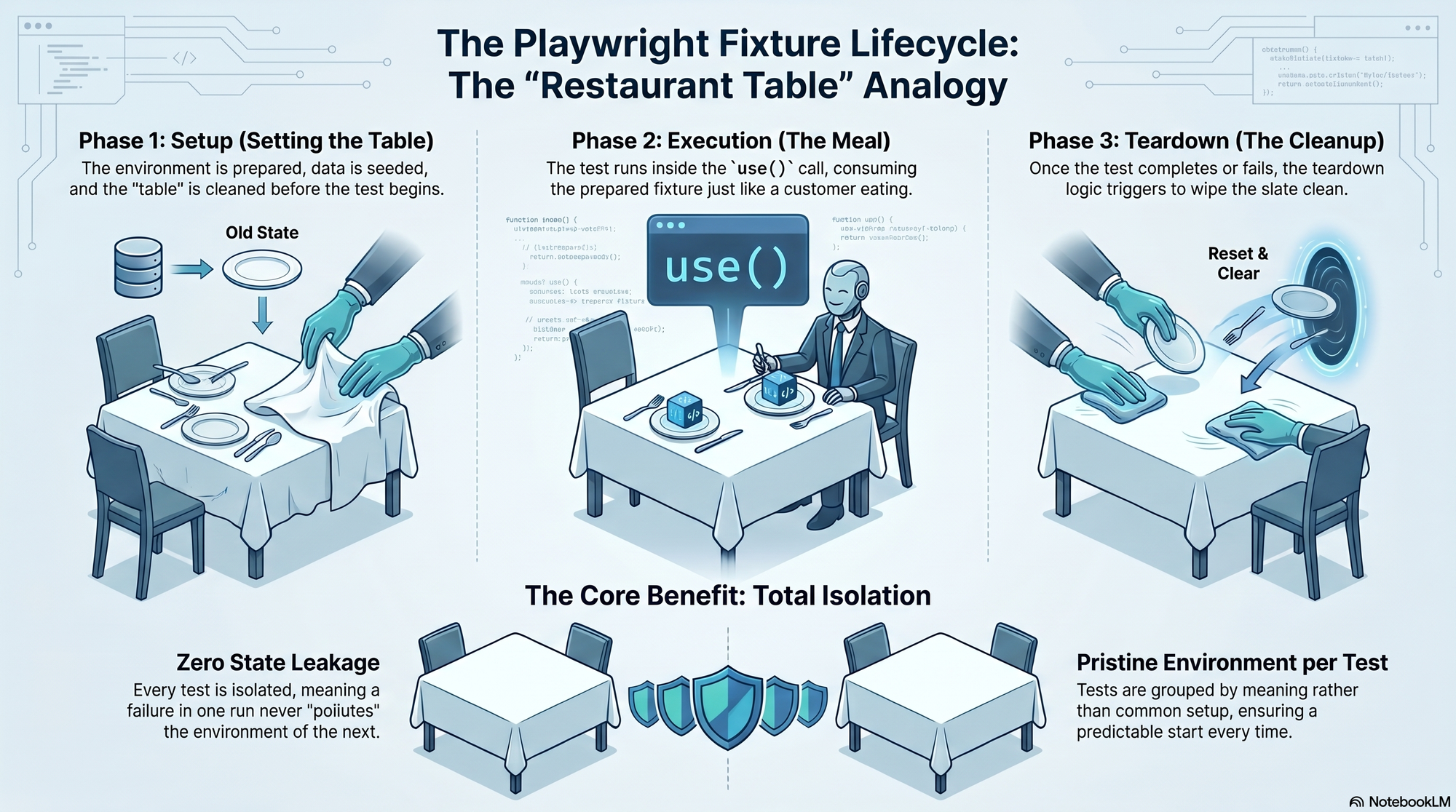
In the world of automated testing, maintaining a clean and predictable environment is often the difference between a reliable CI/CD pipeline and a "flaky" nightmare. Playwright Fixtures are the cornerstone of this stability, offering a powerful way to manage test environments, data, and state.
What are Playwright Fixtures ?
Think of a restaurant table before customers arrive : the table is cleaned, the cloth is set, and plates are placed. The customers (the tests) don't have to worry about this setup; they just sit down and place their order. In Playwright, a fixture is the pre-prepared environment that gives a test everything it needs and nothing else.
Technically, a fixture is a fixed state of a set of objects used as a base for running tests. They are isolated between tests, ensuring that each run starts from a clean slate and prevents "state leakage" where data from one test affects another.
Why Use Fixtures Instead of Traditional Hooks ?
While many developers are used to beforeEach and afterEach hooks, Playwright fixtures offer several architectural advantages.
- Encapsulation : They group setup and teardown in a single place, making the code easier to maintain.
- On-Demand Execution : Unlike hooks that run for every test in a file, fixtures only run if a test explicitly asks for them.
- Composability : Fixtures can depend on each other, creating a complex dependency graph tat Playwright resolves automatically.
- Reusability : You can define a fixture once and use it across multiple test files and projects
- Parallel Safety : They are designed to work seamlessly with parallel execution by ensuring isolation.
Built-in Fixtures :
Playwright provides several fixtures out of the box that you likely use every day.
- page : An isolated page (tab) for the test
- context : An isolated browser context (similar to an incognito window)
- browser : A shared browser instance used across workers to save resources
- request : An isolated API client for testing backed services.
How to Create Your Own Custom Fixtures
To create a custom fixture, you use the test.extend() method to create a new test object
The Step-by-Step Process :
- Define an Interface : (In TypeScript) Describe the type of you fixture
- Extend the Test : Use base.extend() to define the setup and teardown logic
- The use() Function : This is the heart of the fixture. Code before await use() is the setup phase, and code after it is the teardown (cleanup) phase.
Example Purpose : You might create a loggedInPage fixture that automatically logs into your application before the test starts, so you don't have to repeat the login steps in every single spec file
Understanding Fixture Scopes
Fixtures operate in different "lifespans" called scopes:
- Test-scoped (Default) : Created fresh for every single test. This provides maximum isolation but can be slower if the setup is heavy.
- Worker-scoped : Created once per worker process and shared across multiple tests. This is ideal for expensive operations like starting a server or connecting to a database.
The Fixture Lifecycle
Playwright follows a strict execution order :
- Resolution : Playwright identifies which fixtures are needed based on the test arguments
- Setup : Fixtures are initialized in order of dependency. If Fixture A depends on Fixture B, B is set up first
- Execution : The test runs using the resolved fixture values.
- Teardown : Once the test finishes, teardown runs in reverse order of initialization to ensure resources are released safely.
Best Practices for Scalable Architecture
- Treat Fixtures as a Dependency Injection (DI) Container : Instead of using new PageObject() inside your tests, use fixtures to inject your Page Objects. This makes refactoring significantly easier as your suite grows from 50 to 1000 tests.
- Automatic Fixtures : Use {auto : true} for global tasks like attaching debug logs or preventing console errors during every test run
- Deterministic Data : Use fixtures to seed test data using unique identifiers (like testId) to prevent collisions when running tests in parallel.
- Avoid Pitfalls : Never forget to call await.use(), or your test will hang indefinitely. Also, avoid "circular dependencies" where two fixtures depend on each other.